
Active Freebies
Currently tracking 0 verified 100% Off Free-to-Keep Steam promotions. We strictly filter out temporary Free Weekends, demos, and base-F2P titles.
No Active Free Games
We check the Steam store twice a day, and new free-to-keep games show up here as soon as we find them. Meanwhile, you can browse the history.
Recently Concluded Free-to-Keep Promotions
While no 100% off giveaway is active right this hour, here are the most recent full games that offered permanent library claiming on Steam:

Asleep: Act 1

Hexologic
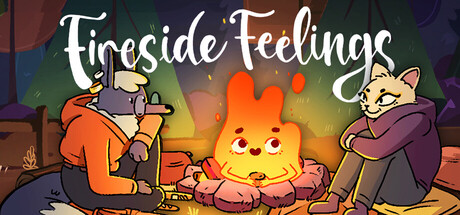
Fireside Feelings
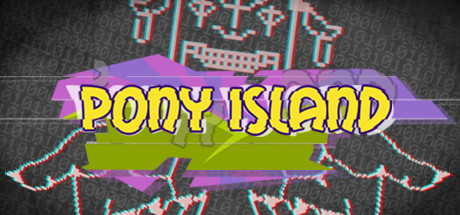
Pony Island

Space Menace

Deadshot
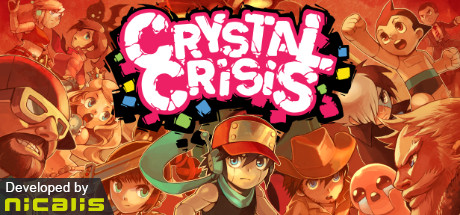
Crystal Crisis

Dokimon Quest
What “free to keep” means
A free-to-keep promotion is when a publisher discounts a paid game by 100% for a limited time. If you add it to your account during that window, the game stays in your Steam library after the price goes back up. It is easy to confuse with three other kinds of “free” on Steam, which we deliberately exclude:
- Free Weekend: you can play the full game for a few days, then it locks again unless you buy it.
- Free to Play (F2P): the game is always free and usually earns money through in-game purchases. It is not a time-limited deal.
- Demo / Playtest: a trial version or test build, not the full game.
We also exclude 100%-off DLC and soundtracks, because they usually require the base game. The goal is a list where every entry is a full game you can keep.
How to claim a free game on Steam
On the Steam website
- Open the game from this page and use the button to go to the official store page on store.steampowered.com.
- Sign in to Steam on the official site if you are not already signed in.
- In the purchase box, check that the price shows -100% / free, then click Add to Account.
- Steam confirms that the game has been added; it now appears in your library.
In the Steam desktop client
- Open the Steam client, go to the Store tab and search for the game name.
- Click Add to Account in the purchase box.
- Go to your Library; the game is listed there and can be installed now or later.
Button labels and steps may change; follow Steam's official help pages if they differ. Some promotions are limited to certain regions; we read the Taiwan store.
How we verify each offer
Our background job reads Steam's public store data (with at least 1.5 seconds between requests) and classifies every 100%-off candidate. Only items whose Steam type is a full game, with no free-weekend, demo, DLC or soundtrack markers, receive a confidence score of 80 or higher, and only those are shown here and on the homepage. Each entry links to the official store page so you can confirm the price before claiming. When an offer disappears from Steam for several consecutive checks, it moves to the free-game history. See our editorial policy for more.
Free-to-keep FAQ
Do I really keep a free-to-keep game forever?
Yes. If you click "Add to Account" while the promotion is running, the license is added to your Steam account and stays in your library after the promotion ends. Use of the license is still governed by the Steam Subscriber Agreement; check Steam's official terms for details.
Do I need to pay or add a credit card?
No. A 100%-off game costs 0 at checkout. You only need to be signed in to Steam and click "Add to Account". Any site that asks for card details or your password to "claim" a game is not the official Steam flow.
Do I have to download the game right away?
No. Once the license is on your account you can install the game from your library whenever you like.
Does a Free Weekend game stay in my library?
No. A Free Weekend only lets you play for a limited time; afterwards you have to buy the game to keep playing, which is why we do not list them. Some games let you keep your progress if you buy later; check the game's official page.
Why are free-to-play games not listed?
Free-to-play games are always free to download, so they are not a time-limited offer, and most rely on in-game purchases. We exclude them so the list only contains offers that you need to act on.
Why is there no end time?
Steam store pages and the data we read do not expose the exact end time of a free promotion. Rather than show a countdown that might be wrong, we recommend claiming as soon as you see an offer and checking the official Steam page.
What happens to an offer after it ends?
When several consecutive checks no longer find the offer on Steam, it is marked as ended and moved to our free-game history database.
Will this site ask me to log in to Steam?
Never. The site has no Steam login and no auto-claim tools. Every claim button takes you to the official Steam store page, where you add the game yourself.